Governance Meetings Overview
The Governance Meetings module helps you coordinate data governance activities through structured meeting tracking, notes, and action items.
Why Track Governance Meetings?
Data governance requires coordination across teams to align stakeholders on priorities and decisions, review data quality across products and domains, plan improvements and track their completion, and document decisions for future reference.
Meeting Concepts
Meeting Types
Common governance meetings include Data Quality Reviews, Stewardship Councils, Data Product Stand-ups, Incident Retrospectives, and Change Approval Boards.
Meeting States
Meetings progress through a simple lifecycle: from Planned (scheduled for the future) to In Progress (currently happening) and finally to Completed (concluded). Meetings can also be Cancelled if they are no longer needed.
Meeting Components
Basic Information
Every meeting record includes a Title (meeting name) and a Description providing the agenda and context. It tracks the Scheduled Time and optionally an End Time to calculate the duration.
Attendees
You can invite space members, track who was invited versus who actually attended, and pre-select active participants when scheduling.
Notes
The module supports rich text Notes with markdown formatting. This allows you to capture discussion points and formally document decisions made during the session.
Action Items
Tasks resulting from the meeting are captured as Action Items. These have clear descriptions, assigned owners, completion tracking, and can be directly linked to products, issues, or quality checks.
Attachments
You can attach supporting documents such as presentation slides, data samples, or reference materials to keep all context in one place.
Module Features
Meeting List
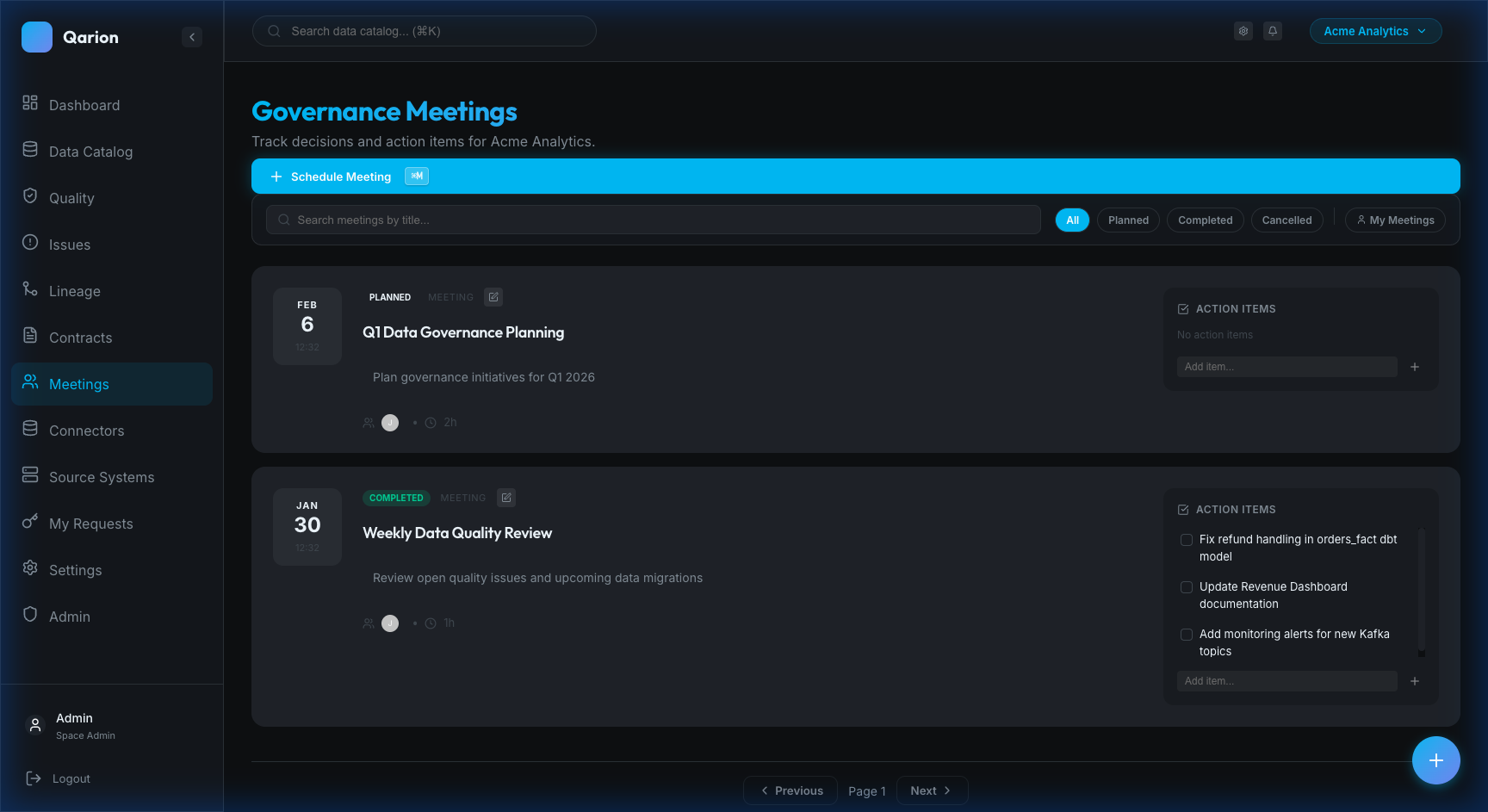
The Meeting List allows you to browse all meetings in your space, sorted by date with the most recent first. You can filter by status (e.g., Planned, Completed), search by title or description, and toggle "My Meetings" to see only those you are attending.
Meeting Details
The Meeting Details view provides a full record of the session, including the agenda and notes, the attendee list, assigned action items, attachments, and a history of changes.
Action Item Tracking
The system allows you to track follow-ups across meetings. You can see all action items assigned to you, monitor their completion status, and link them to related platform resources.
Common Workflows
Scheduling a Meeting
To schedule a meeting, navigate to Meetings in the sidebar and click Schedule Meeting. Enter the title and agenda, select the date and time, add attendees, and save.
Running a Meeting
During the meeting, update the status to In Progress. Take minutes in the Notes field, create Action Items as decisions are made, and mark the meeting as Completed when done.
Following Up
After the meeting, review the action items. Assignees should work on their items and mark them as complete when finished. You can then reference these completed items in future meetings if needed.
Integration Points
With Issues
You can link action items to existing issues, create new issues directly from meeting discussions, and track issue resolution progress across multiple meetings.
With Products
Discussions can reference specific data products. You can link action items to these products and review product health metrics directly within the meeting context.
With Quality Checks
Governance meetings often involve reviewing quality rules. You can link action items to specific checks, review results during the meeting, and plan quality improvements.
Getting Started
- Action Items — Learn to manage meeting action items
Technical Reference
For developers and architects, see the Technical Reference for data models and API details.