Data Catalog Overview
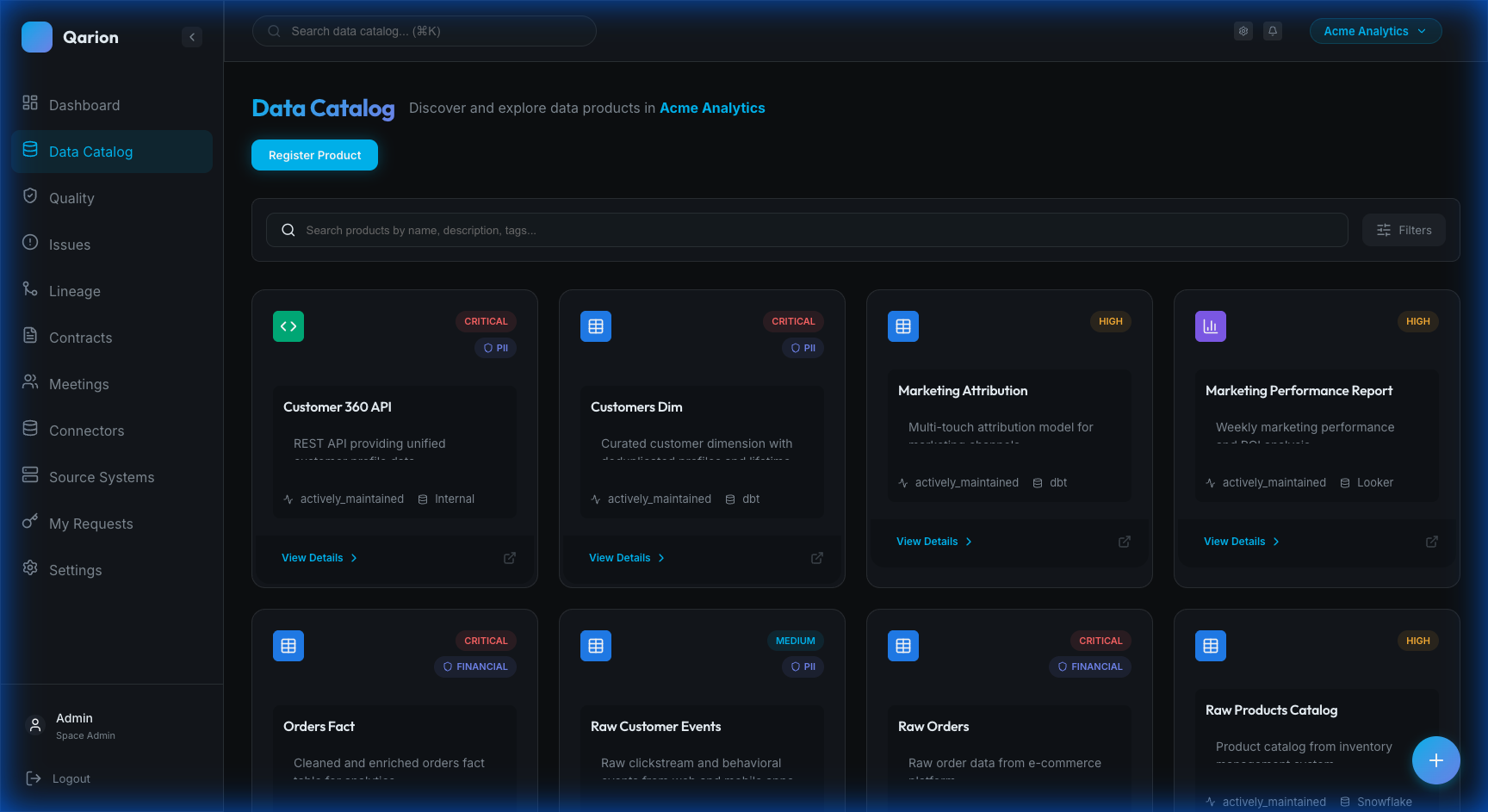
The Data Catalog is the central hub for discovering, documenting, and managing your organization's data assets. It provides a searchable inventory of all data products within your space.
What is a Data Product?
A Data Product represents a curated data asset in your organization. This encompasses a wide range of assets, including database tables or views, data pipeline outputs, analytics datasets, machine learning feature stores, API endpoints, file exports or reports, and AI Systems such as trained models and automated decision-making pipelines. Each data product includes rich metadata that helps users understand what the data is, where it comes from, who owns it, and how it should be used. AI System products additionally support risk classification aligned with the EU AI Act and can be monitored for data drift and model degradation.
Catalog Features
Discovery
The catalog offers robust discovery tools. You can Search for products by name, description, or technical identifiers, browse by business categories using Tag Filtering, or narrow down results by Type Filtering (e.g., Table, View, Stream).
Metadata
Each data product captures comprehensive information. The Name provides a human-readable identifier, while the Slug offers a URL-friendly ID for API access. A Description summarizes the product for catalog listings, and detailed Documentation supports long-form markdown. The Product Type categorizes the asset (e.g., Table, Dashboard), and the Provider indicates the source platform (like Snowflake or BigQuery). Tags allow for flexible business categorization.
Governance
Data products support clear governance assignments. The Owner is the primary responsible party, the Steward handles day-to-day curation, and the Custodian acts as the technical guardian.
AI Field Classification
The catalog features an AI Classification tool that automatically suggests field-level tagging based on pattern matching, lineage, and LLM analysis. Administrators can review suggestions in a bulk approval interface before applying sensitivity, PII, PHI, or tag classifications to product schema fields.
Technical Metadata
Technical details are automatically captured, including the Schema (field definitions and data types), the Hosting Location, the Refresh Frequency, and the upstream Source System connection.
Collaboration
Work with your team directly on data products by using Comments to discuss data usage or flag issues, @Mentions to notify specific team members, and Attachments to upload support documentation or screenshots.
See Comments & Discussions and File Attachments for details.
Navigating the Catalog
Grid View
The catalog displays products in a responsive grid layout. Each card shows the product name, type, and key metadata, along with quality health indicators when available. Clicking any card opens the product detail view.
Filtering
Use the sidebar filters to narrow your view. The Search Bar allows you to filter by name or description, while Tag Facets let you filter by specific categories. You can also toggle Show Archived to include archived products in your view.
Pagination
For large catalogs, results load progressively in batches. The item count shows how many products are currently displayed, and clicking Load More fetches additional products without losing your previous results.
Product States
Data products can exist in different states. Active products are in normal operational state and visible in the catalog. Archived products are soft-deleted and hidden by default but can be restored. Deleted products are permanently removed and cannot be recovered. Archived products appear with reduced opacity when explicitly viewed.
Getting Started
To learn more, explore Browsing Products for navigation tips, Product Details for a deep dive into product views, and Managing Products for creation and management workflows.