Issue Management Overview
The Issue Management module provides a structured way to track, prioritize, and resolve data quality problems across your organization.
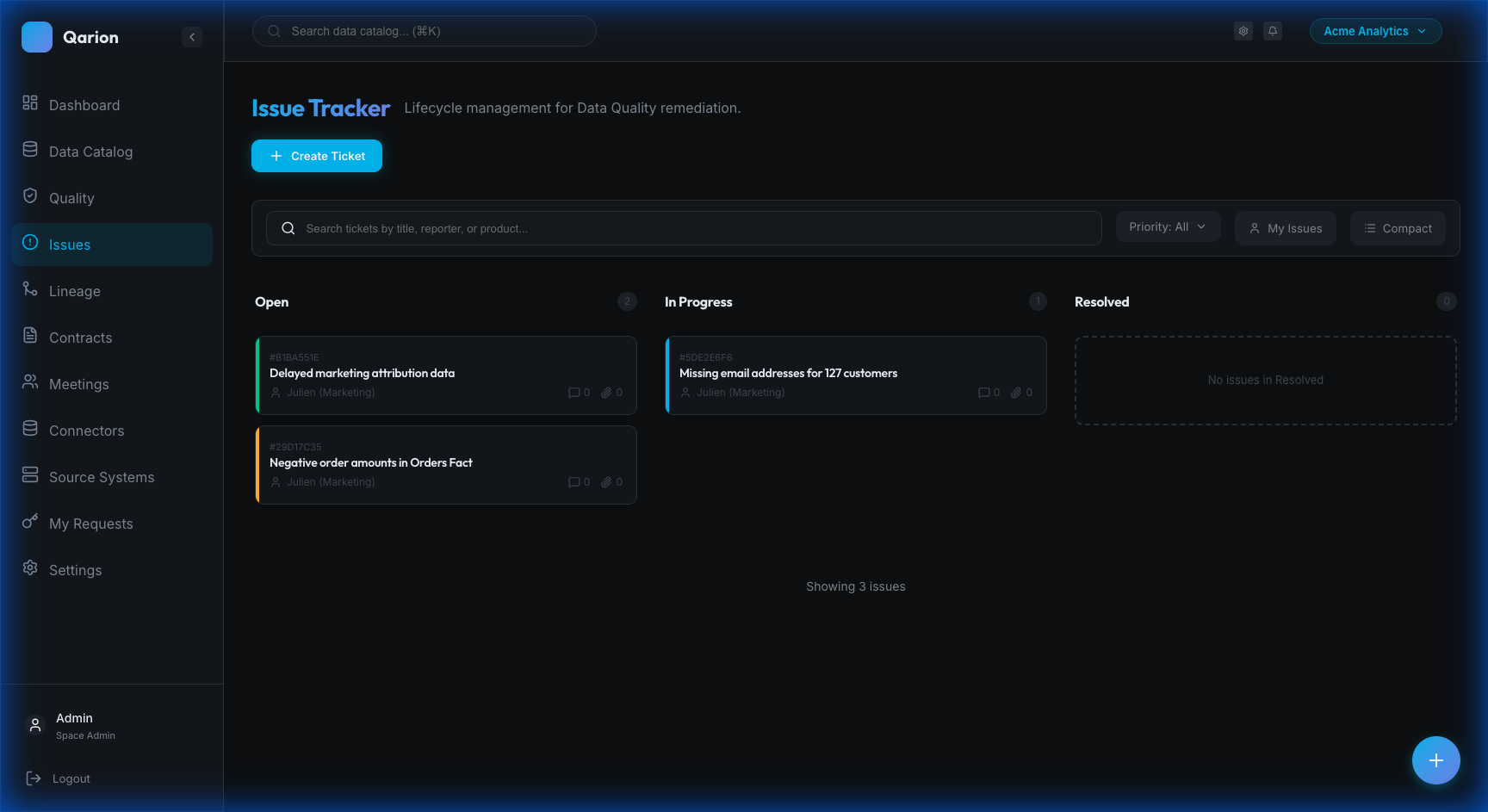
What is an Issue?
An Issue (also called a ticket) represents a data quality problem that needs attention. This encompasses a wide range of situations, including incorrect or missing data, failed quality checks, schema discrepancies, errors in data pipelines, problems reported directly by users, AI model drift incidents, and training data degradation affecting AI system performance.
Why Track Issues?
Formal issue tracking provides Visibility, ensuring everyone knows what problems exist. It establishes Accountability by assigning clear ownership for resolution, maintains a History of past issues and solutions for future reference, and generates Metrics to track resolution times and identify patterns.
Issue Workflow
Status Lifecycle
Issues follow a simple lifecycle: Open -> In Progress -> Resolved. An Open issue has been reported but work hasn't started. In Progress indicates active work is underway, and Resolved means the problem has been fixed.
Priority Levels
Priorities help classify urgency. Critical issues require immediate attention. High priority items are important and should be addressed soon. Medium represents standard priority work, while Low priority issues can be addressed when time allows.
Creating Issues
Manual Creation
To create an issue manually, navigate to Issues in the sidebar and click Create Issue. Fill in the required Title, add a Description, set the Priority, and assign an Assignee before clicking Create.
From Quality Alerts
When a quality check fails, you can create a ticket directly from the Alerts Center. Open the alert and click Create Ticket. The issue will be pre-populated with details from the alert, including the affected product and execution information. You can add context before saving.
From Products
You can also create issues directly while viewing a data product. Go to the Issues tab on the product page and click Create Issue. The product will be automatically linked to the new ticket.
Issue Components
Core Fields
Every issue contains core fields to track its state. The Title provides a brief summary, while the Description offers a detailed explanation with markdown support. Priority indicates urgency, Status tracks current state, Reporter identifies the creator, and Assignee marks who is responsible for resolution.
Product Linkage
Issues can be linked to affected data products. A single issue can be linked to multiple products, ensuring that the issue appears in each product's Issues tab and that stakeholders for all affected products are notified.
Attachments
You can attach evidence and documentation to issues, such as screenshots, log files, data samples, or other relevant documentation.
Views
Kanban Board
The Kanban Board is a visual view organized by status columns (Open, In Progress, Resolved). It allows for drag-and-drop status changes and provides quick visibility into the overall workload.
List View
The List View displays all issues in a tabular format, offering sort and filter capabilities, bulk operations, and export options.
Product Issues Tab
The Product Issues Tab allows you to see issues affecting a specific product, separated into active and resolved sections, and lets you create new issues in context.
Key Features
Comments and Discussion
The platform supports collaboration on issue resolution through comments. You can add comments with markdown formatting, @mention team members, and track the full discussion history.
History and Audit Trail
Every change to an issue is logged in the audit trail. This includes status transitions, assignment changes, field modifications, and any added comments or attachments.
Resolution Debrief
When resolving complex issues, a resolution debrief allows you to document the root cause, record lessons learned, and ensure that knowledge is captured for future prevention.
Integration with Products
Issues and products are deeply interconnected. Linking issues to affected products allows you to view product stakeholders and seamless navigate between the issue and product views.
Getting Started
- Kanban Board — Learn to use the visual workflow board
- Ticket Details — Understanding issue details and management
- Mitigation & Remediation — Track AI risk mitigations through issues
Technical Reference
For developers and architects, see the Technical Reference for data models and API details.